Document Status / Adding Documents

Natalia Jedrys
· Updated
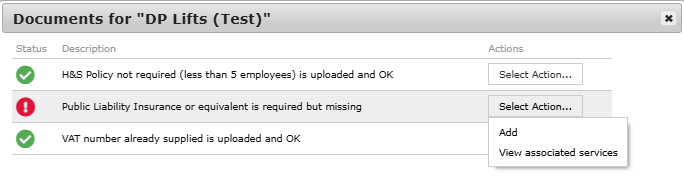
We ask that all contractors that use Dwellant upload relevant accreditation documents for the services they provide. When they log in they are asked to select the services their company carries out so we know which documents to ask for. Below is a summary of the different symbols.
We encourage all property managers to use contractors that have their documents up to date, if you want to send them a chaser you can do this by going to select action / details and clicking chase documents. Enter the name of a staff member and an email will go to them kindly asking that they update their documents.
You can add them by going to accreditation documents and using the select action button for the list of options on managing the documents.
Safe Contractor
If you use safe contractor or another accreditation service the document status is displayed with a second symbol blue and white star 
If you have been setup with a safecontractor interface this will update automatically, if not this will need to be managed in the same way as the other accreditation documents.
Was this article helpful?
5 out of 8 found this helpful
Have more questions? Submit a request