Collection

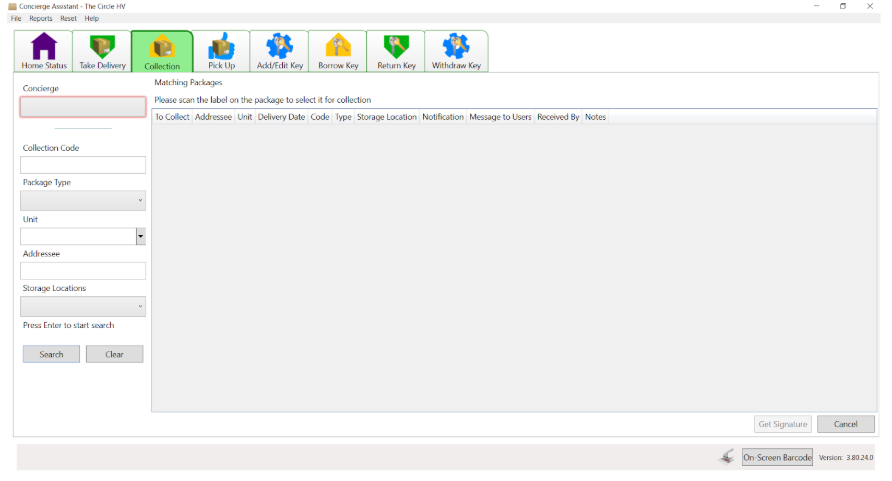
Collection: A parcel can be searched for in a number of ways.
- Search for the unit to see all packages for all of the residents listed in that unit.
- Scan their notification to highlight the package and view details (type and storage location)
- Retrieve package
- Scan the package label
- Select ‘Get Signature’ ask the resident to sign (save as a reference signature, if necessary)
Searches for packages can also be made with the Collection Code, and via Type and Location.
Single Package: Follow instructions above
Multiple Package: Tick the Multiple Package box if the resident is collecting more than one parcel.
Offline User: Collect as normal, the new resident will be invited to register on the system, so they can be notified by text and email of their future deliveries.
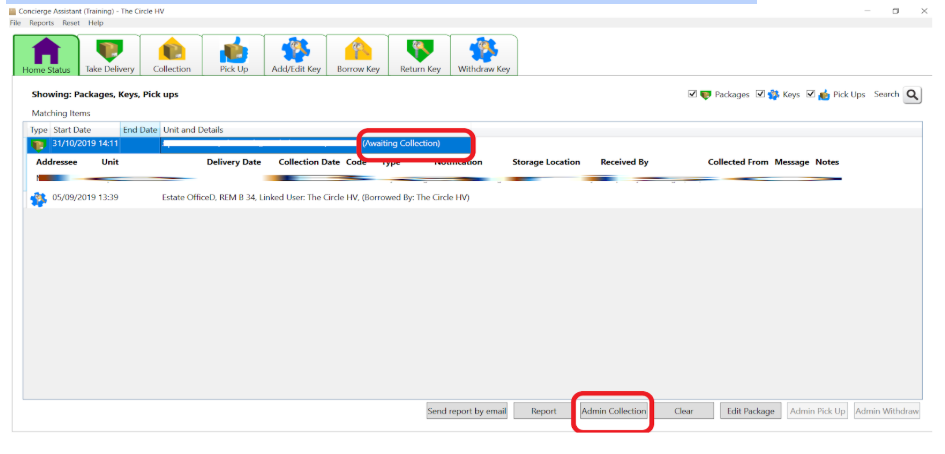
Admin User: If a parcel has been released without being scanned or signed for, it will still show on the system as uncollected. Staff with Administrator Rights, using their login details and a reason why the action has been taken can change the package to show as collected. This function can also be used to remove a package from the system, when being returned to the sender, for residents who no longer live in the building